PRODUCT DESIGN · USER RESEARCH
PLUS Goal Setting
PLUS Personalized Learning is a hybrid human-AI tutoring platform with 500+ tutors, used across 13+ schools, supporting 5,000+ middle school students through real-time, in-class math tutoring sessions.

DURATION
4+ months | Jan. 2026 - Present
ROLE
Product Designer
TEAM
Design Lead
Product Lead
Dev Lead
IMPACT
500+ tutors gained a clearer, more consistent way to engage with goal setting in the moments that mattered most, live sessions with students.
CONTEXT
During the second half of Fall 2025, PLUS launched a Goal Setting feature. Since then, early signals from usage data, session recordings, and qualitative observations revealed both promising adoption and clear usability gaps, pointing to a feature with strong potential that had not yet been reached.
As the product designer on this project, I owned the end-to-end design process from reviewing session recordings and analyzing usage data to synthesizing findings, generating design hypotheses, and prototyping solutions. I led the iteration and validation cycles, translating research insights into concrete design decisions, and managed dev handoff for implementation into the live app. The feature is currently in development.
THE PROBLEM
Tutors understood goal setting conceptually but struggled to integrate it consistently into their live workflows

Key Features
01
Instant Goal Context.
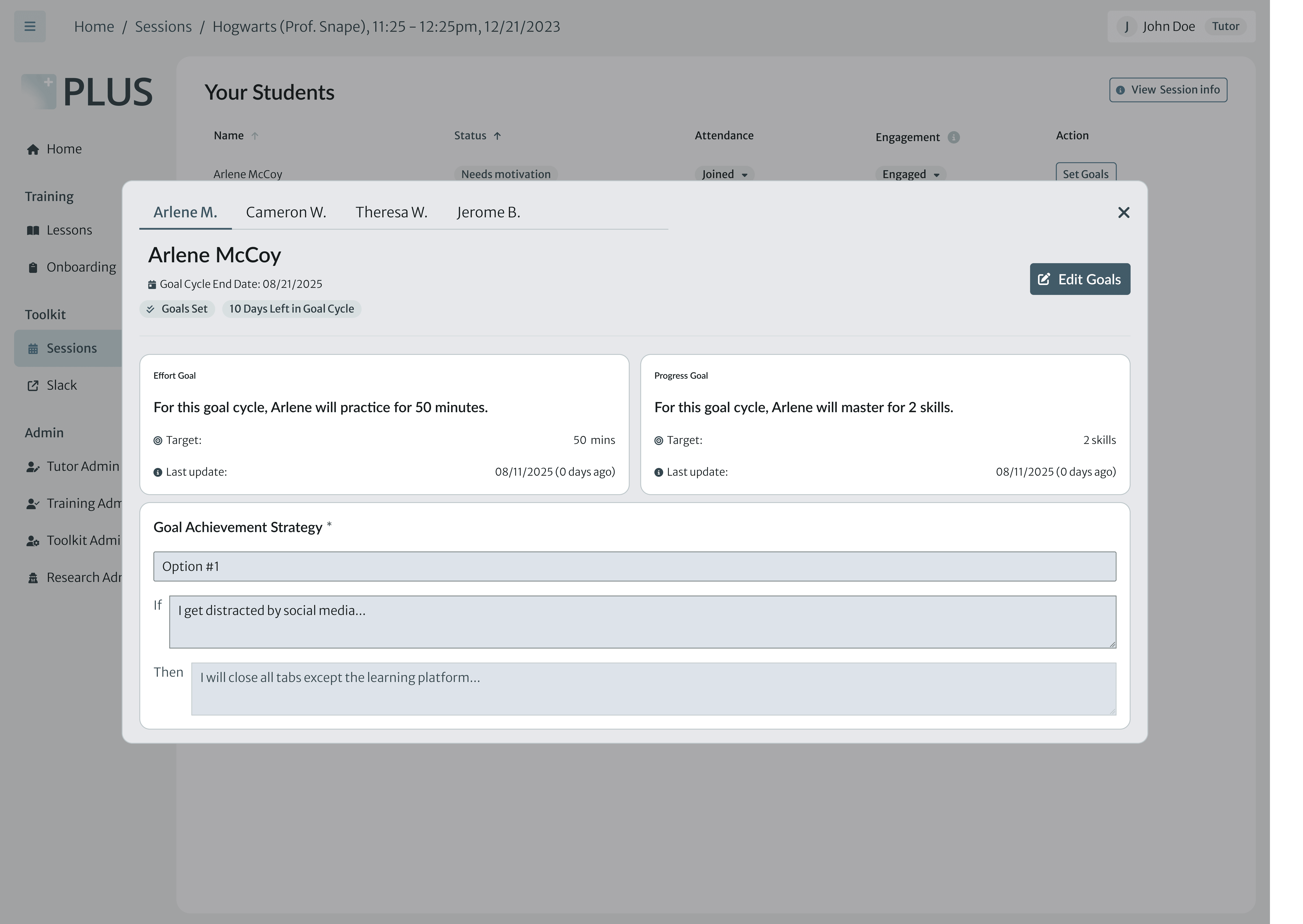
Surfacing the student's goal statement, so tutors can reference it at a glance, instead of making connections in the metadata during live sessions.
02
Clear actions for the session scenario.
Distinct labels and badges for each goal scenario (create, view, or update), so tutors know exactly what action to take during the live sesion,
More details on this project is on the way. Check back in soon, or reach out to me directly and I’d be happy to share the complete case study.
This page is currently being formatted for this screen size. Please view on a desktop!
This page is currently being formatted for this screen size. Please view on a desktop!
Open to New Opportunities!