This page is currently being formatted for this screen size. Please view on a desktop!
This page is currently being formatted for this screen size. Please view on a desktop!
Redesign: Children's Museum of Pittsburgh
UX RESEARCH & DESIGN · INFORMATION ARCHITECTURE · VISUAL DESIGN
DURATION
2 Weeks | Sep. - Oct. 2025
ROLE
UX Designer
TEAM
4 UX Designers
PERCEIVED IMPACT
More curious children will be motivated to for real-life adventures at the museum after online discovery.
The Larger Journey.
What would it take to make the Children’s Museum of Pittsburgh website feel as playful and exciting as the museum itself? This academic project set out to answer that question. With the whole journey in mind, our team redesigned the experience for kids without losing the critical details parents need to plan a visit.
As a designer on this team, I shaped key design decisions, from the homepage layout and content to the site architecture. I also came up with the gameboard-inspired layout for the gamified map feature of the final design.
KEY FEATURES
Our Solution
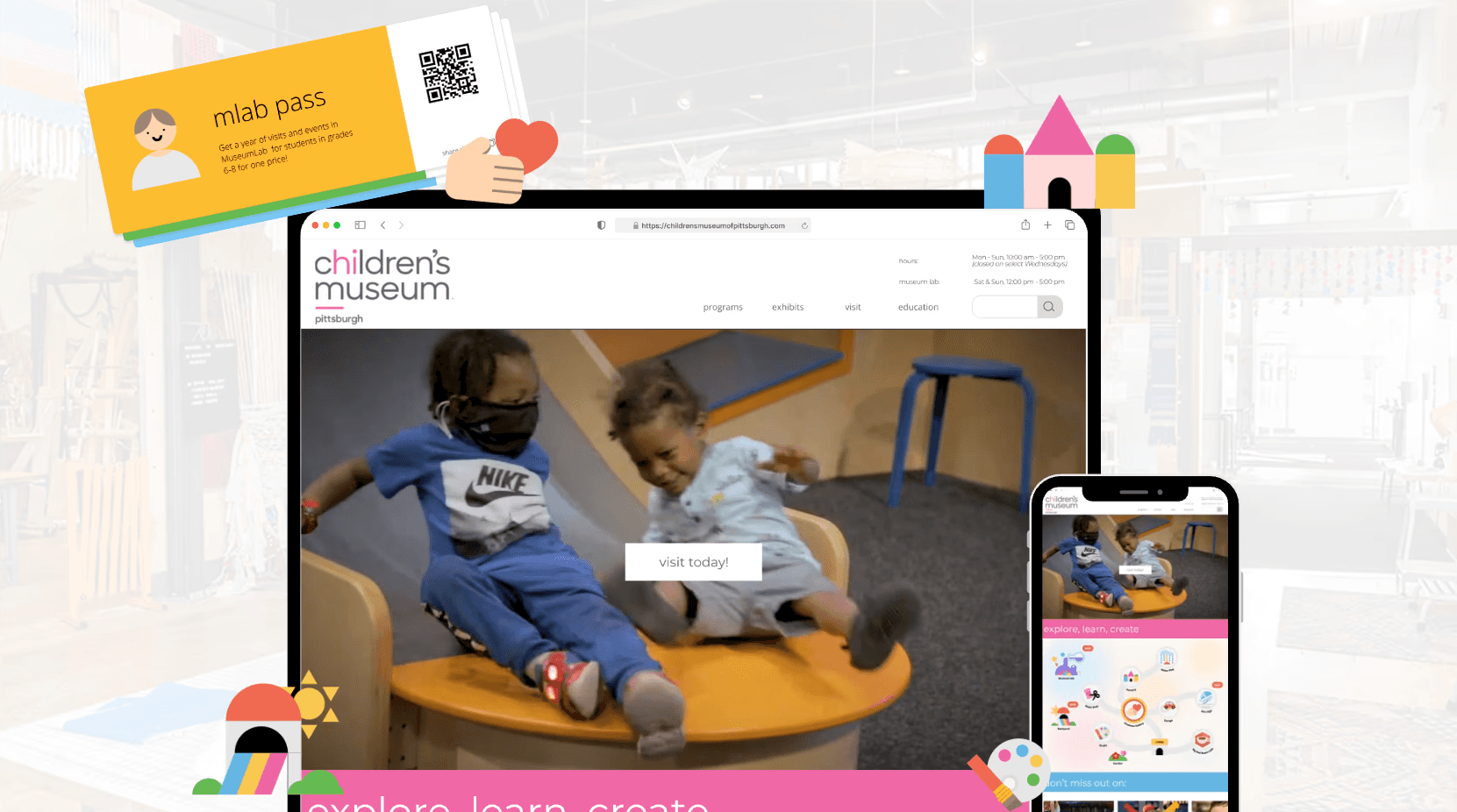
ENGAGING THE CURIOUS KID
Captivating Interest through a Gamified Map
A gamified pre-visit experience helps capture children’s curiosity and excitement, motivating them to explore the museum in person (MuseumNext).
At the museum, the gamified map acts as a guide, helping kids find exhibits and stay engaged throughout the museum.
A gamified pre-visit experience helps capture children’s curiosity and excitement, motivating them to explore the museum in person (MuseumNext).
At the museum, the gamified map acts as a guide, helping kids find exhibits and stay engaged throughout the museum.
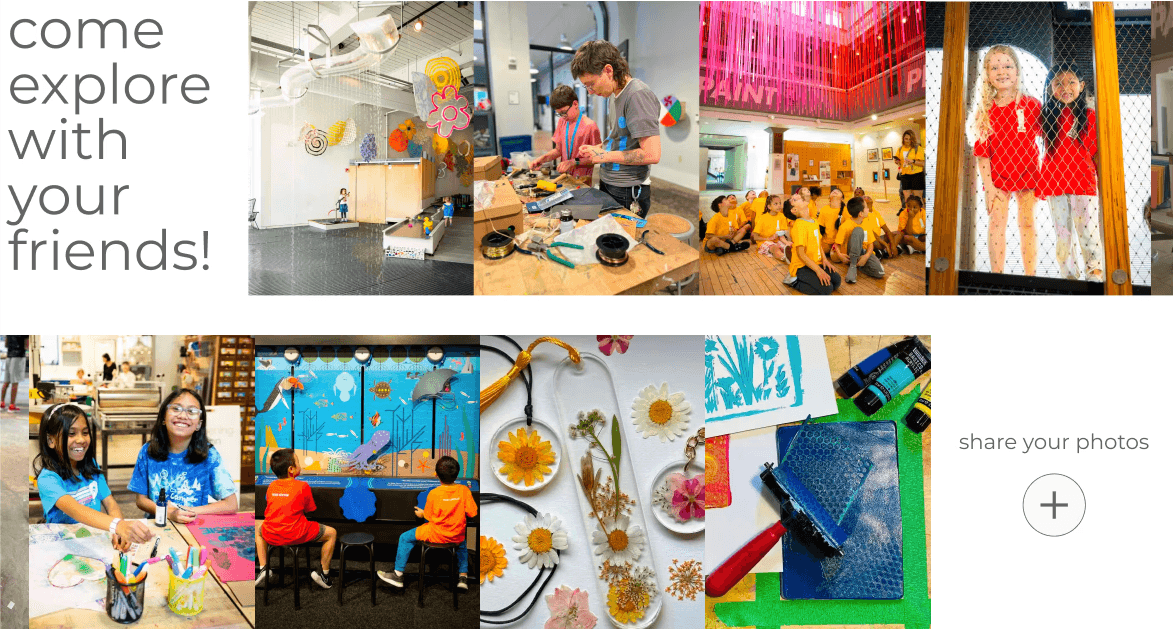
ENGAGING THE CURIOUS KID
Allowing children to see other kids having fun through a gallery.
The gallery provides kids an opportunity to share the fun they had, creating a cycle of inspiration and encouraging new visitors to come and explore for themselves.
The gallery provides kids an opportunity to share the fun they had, creating a cycle of inspiration and encouraging new visitors to come and explore for themselves.
While our primary user is the Curious Kid, parents make the visit happen, so we ensure they have all the essential information to plan the trip.
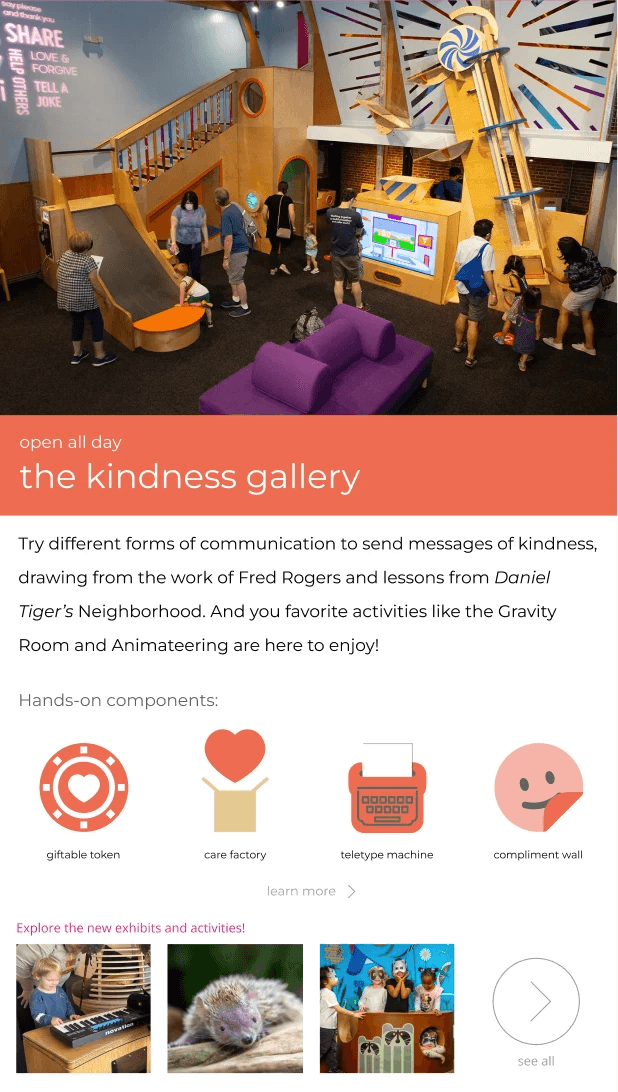
Exhibits
Exhibits are quickly accessible through the interactive map — tapping an exhibit reveals a concise info card with key details.
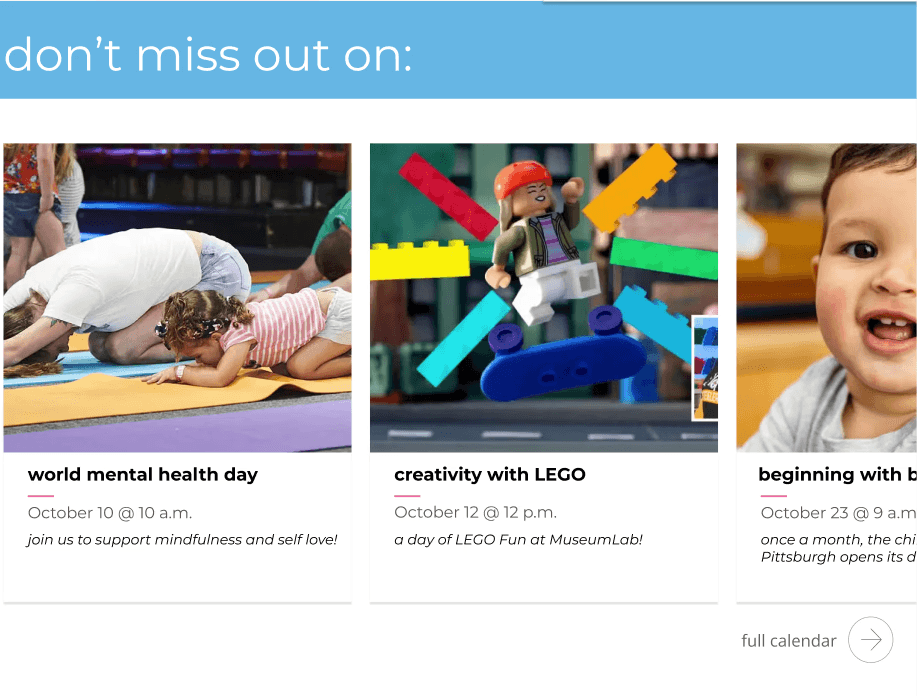
Events
Upcoming events are presented on the homepage in a clear card format, making key dates and details quick to browse.
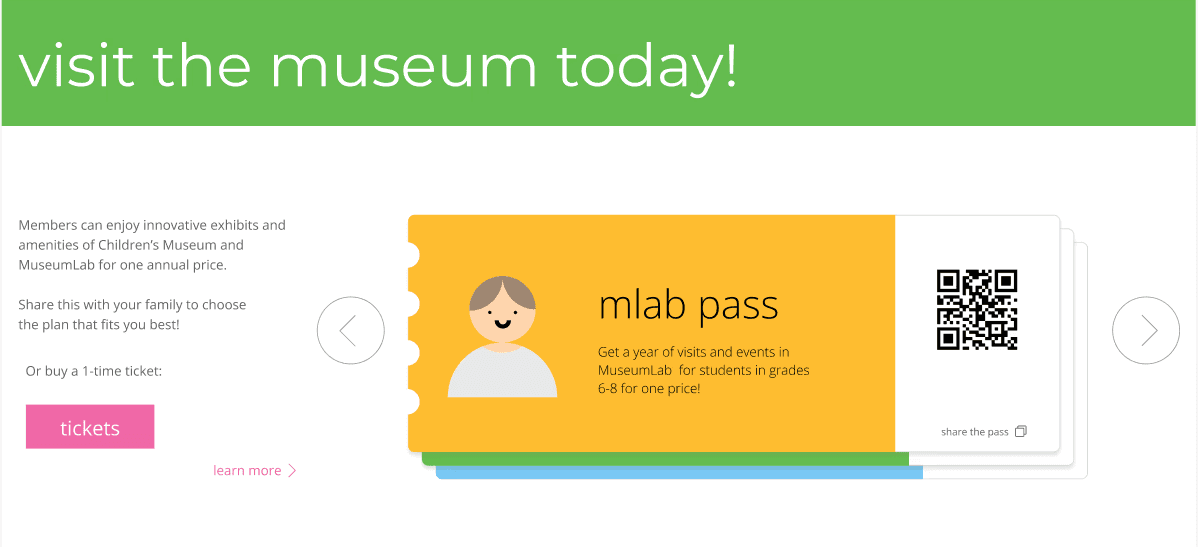
Tickets
The homepage highlights a clear call-to-action for purchasing tickets and memberships.
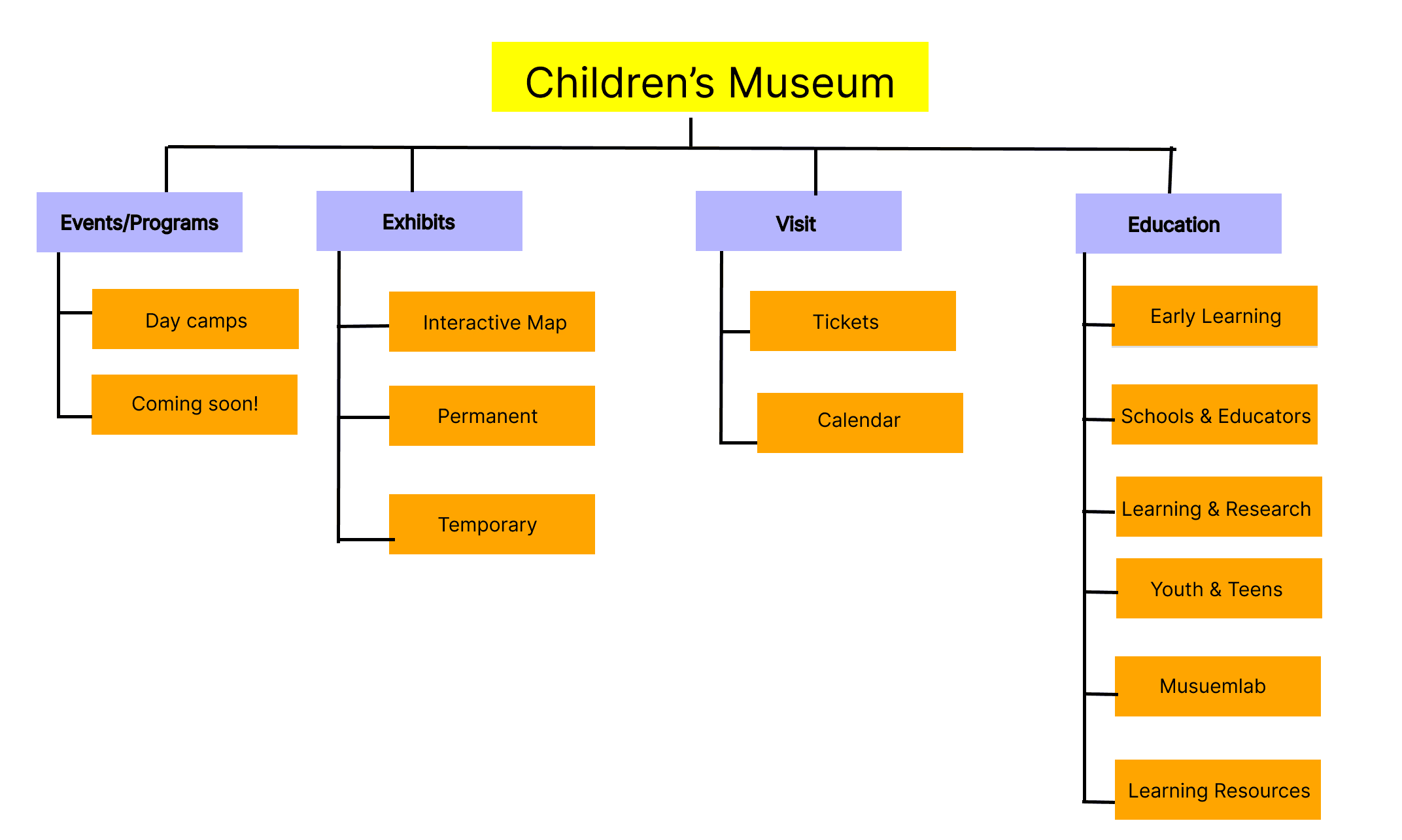
Site Navigation
The homepage surfaces key information like exhibits, events, and visit details, while still allowing deeper exploration on dedicated pages.
OUR PROCESS
Before designing, we developed a persona for the curious kid.
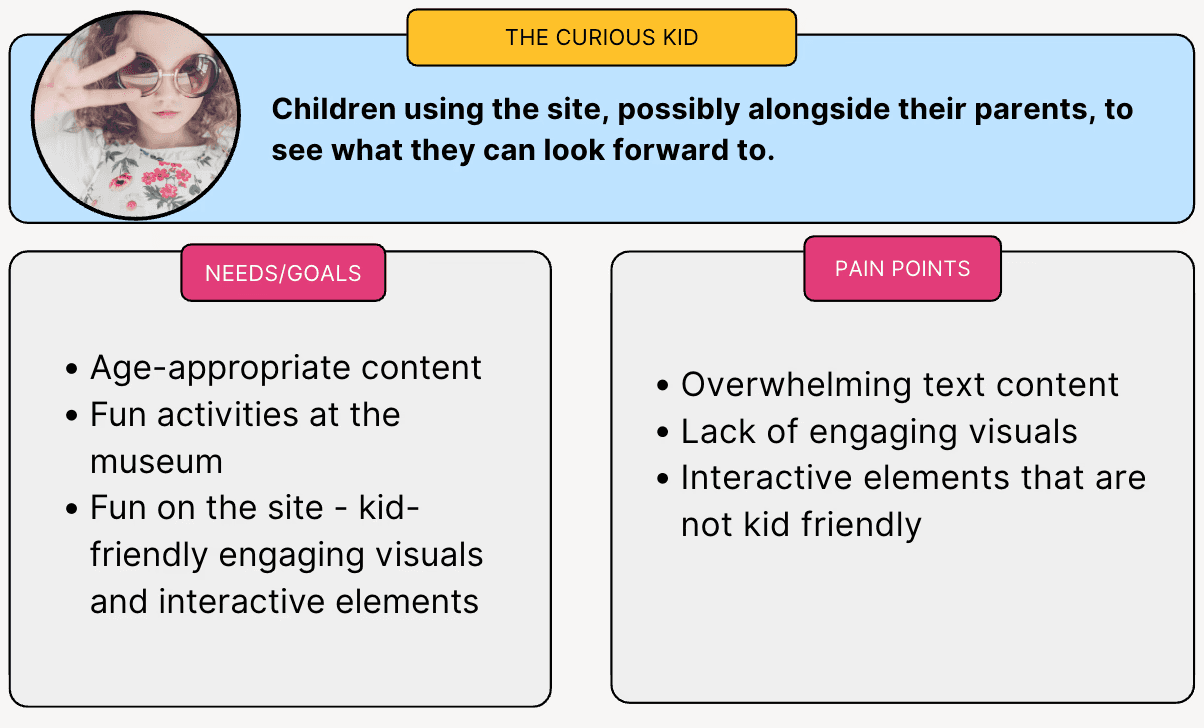
IDENTIFYING PAIN POINTS
The Children's Museum of Pittsburgh's current site experience is text heavy and lacks visuals, preventing engagement from their target audience, kids.
Current Children's Museum Homepage
How might we fuel children’s curiosity to visit, and help parents access critical museum information through a compelling website experience?
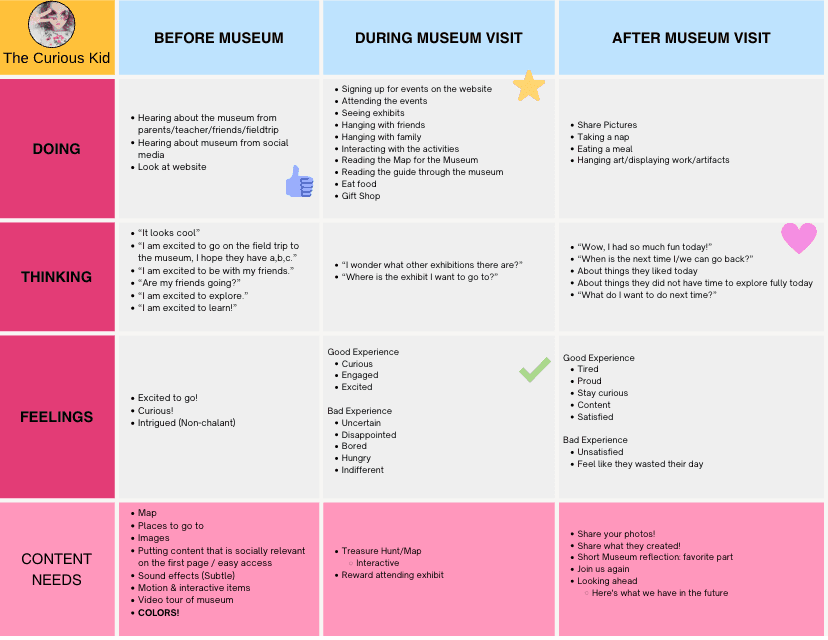
Journeymap
DETERMINING CONTENT NEEDS
For our target user, we created a journey map to understand how the website fits with their visiting experience and determine content to support that journey.
SITE STRUCTURE & NAVIGATION
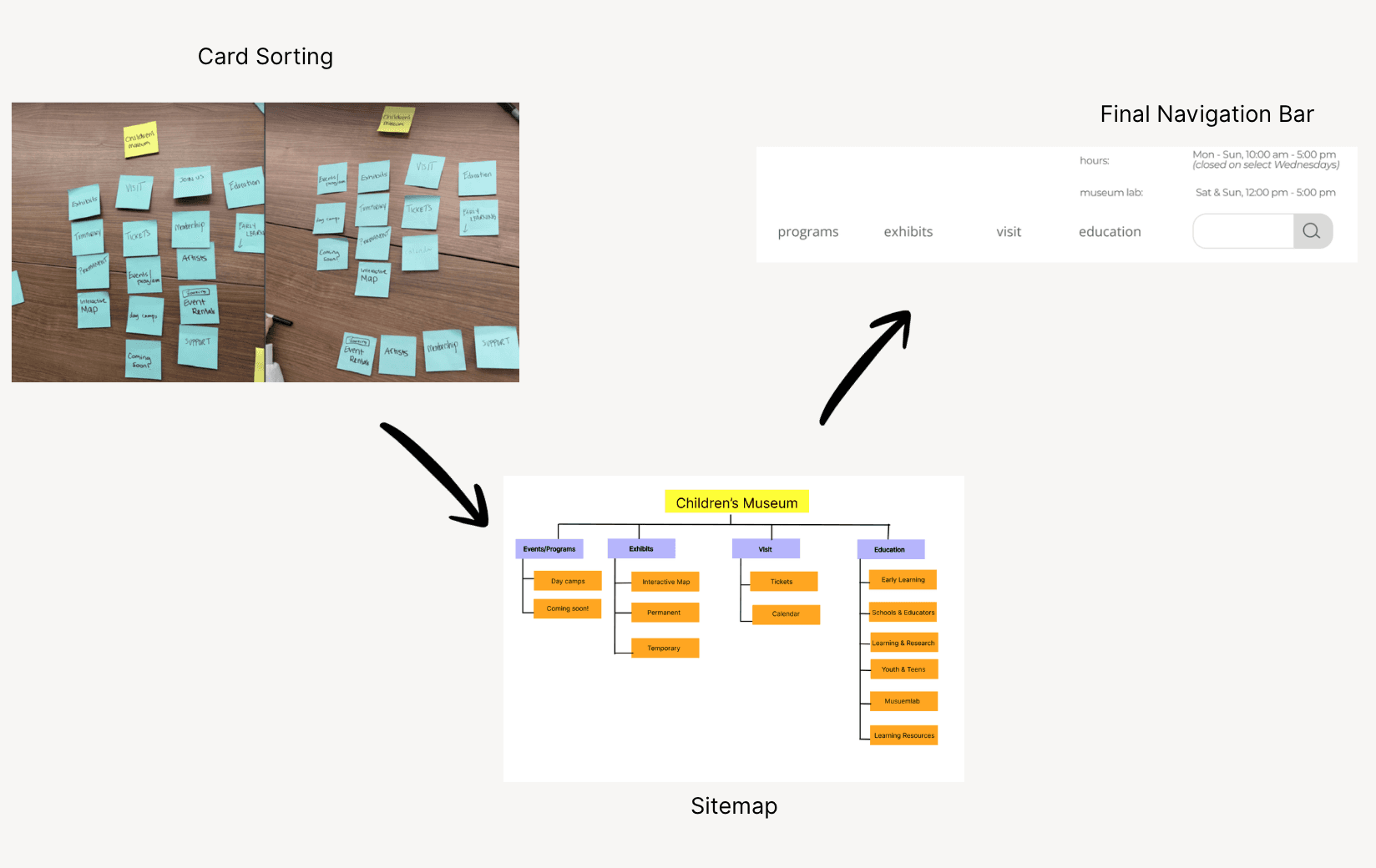
We used a card sorting technique to determine the information architecture of the site.
DESIGN SPRINT ITERATIONS
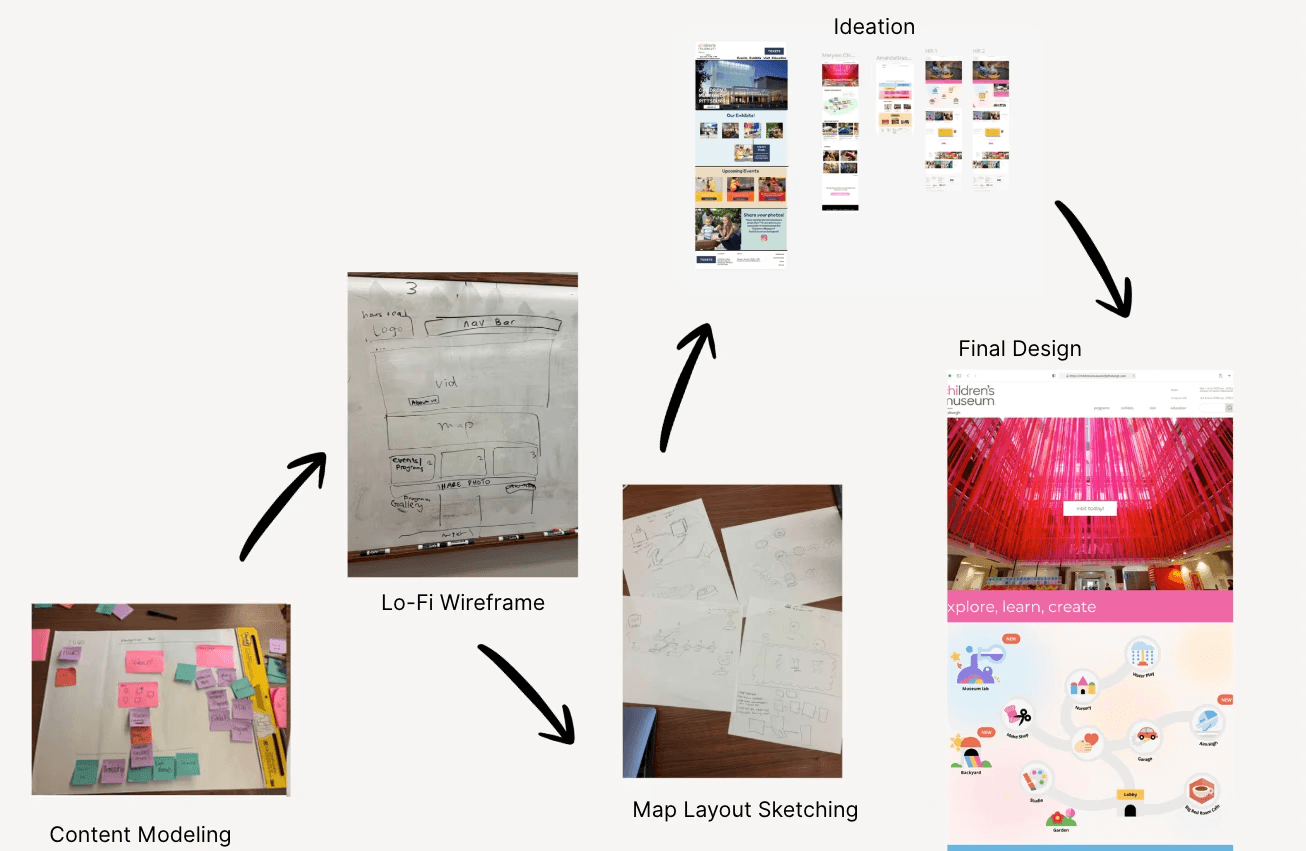
FINAL DELIVERABLE
LEARNINGS
1.
Websites should be leveraged as a tool in a broader journey.
Visitors should be engaged before, during, and after their visit through digital touchpoints.
2.
Critiques should be done early to help guide design decisions.
The critiques clarified the direction for the map and revealed pain points that were not initially considered.
While our primary user is the Curious Kid, parents make the visit happen, so we ensure they have all the essential information to plan the trip.
Exhibits
Exhibits are quickly accessible through the interactive map — tapping an exhibit reveals a concise info card with key details.
Events
Upcoming events are presented on the homepage in a clear card format, making key dates and details quick to browse.
Tickets
The homepage highlights a clear call-to-action for purchasing tickets and memberships.
Site Navigation
The homepage surfaces key information like exhibits, events, and visit details, while still allowing deeper exploration on dedicated pages.
Open to New Opportunities!